STEP 2: Create the Script for the Enemy (Zombie)
- Click the
 + icon to create a new Visual Script.
 - Rename the first state to Walk, and set the animation to the zombie’s walk animation:
E_01_act_003.
Also, set the Facing Direction to Left, since the default direction is right.

- For Walk’s Executable Action, add
TemplateMove.
Leave the template type as Horizontal, but disable Auto Flip so the zombie only turns around when hitting a wall, not based on time.

- Let’s test it in-game. Place
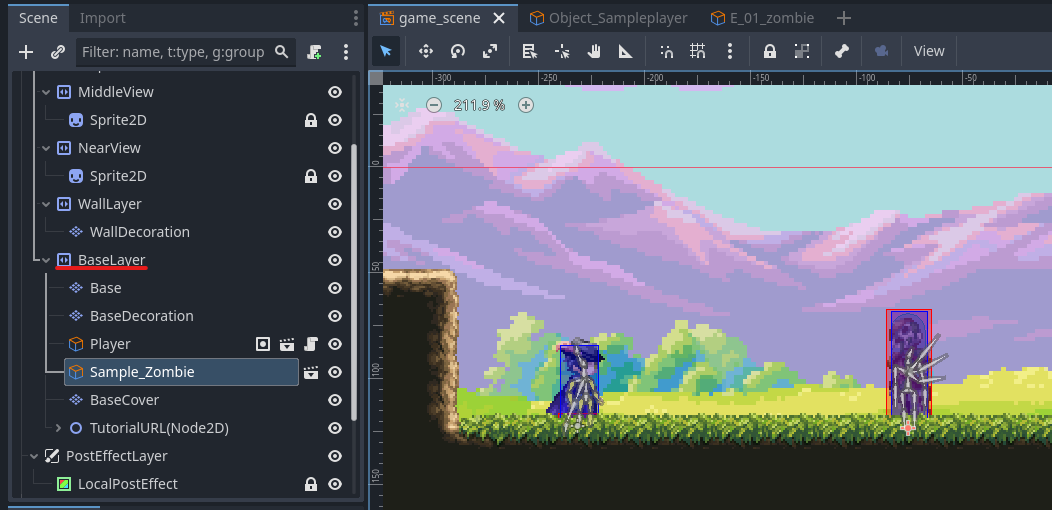
sample_zombie.tscnas a child of theBaseLayer.
- Press F5 or click the
 to test play.
The zombie should walk left and disappear when hit by a bullet.If it doesn’t work, check the following:
- Zombie moves in the wrong direction: Make sure “Enable Auto H Flip” is enabled in BaseSettings and the Walk state’s direction is set to Left.
- Bullets don’t disappear when hitting the zombie: Check the bullet’s script to ensure collision detection is working correctly.
- The zombie not dying after hits is expected, because we haven’t added the death state yet.
- Now let’s create the Damaged state.
Create a new state near AnyState calledDamaged.
Set the animation toE_01_act_008(damage animation).

- In the action settings, reduce horizontal movement speed to 10%.
This makes the zombie slow down during the damage animation.

- Add three actions:
- Play Audio: Use
Zombie2as the sound effect.
- Wait: Insert a
0.2swait to allow the animation to play.
- Transfer to Previous Action: Returns to the prior state.


- Connect AnyState → Damaged.
AnyStateallows transition from any state, and “Transfer to Previous Action” returns to the prior state—like a “Common Event” for RPG Maker users.

- Add two conditions to the link:
- Contact With Attack Area
Configure it to react when hit from any direction by thePlayer.
- HP ≠ 0

- Target: This node
- Reverse condition: ON (i.e., NOT HP=0)
- Logical link: AND

- Test it. The zombie should groan and stagger when hit, and stop reacting after 5 hits.
If it doesn’t work:
- No reaction to hits: Check that the HP condition is reversed and the animation is properly set.
- Still reacts after 5 hits: Make sure the logic condition is AND.
- Now let’s make the Death state:
- Name the state
Deadand set animationE_01_act_009(death animation).
- Set Horizontal Movement Speed to
0%to stop movement.


- Add three actions to
Dead: - Change Object Property
- Type: Object Property
- Target: Self
- Node:
AttackCollision( NOT
NOT AttackArea2D) - Property:
disabled - Value: On
→ Disables the hitbox so players don’t take damage from a corpse.

- Wait:
0.85sto allow the animation to play.
- Remove Self
→ Deletes the zombie from the game.


- Link AnyState → Dead, and set the condition to HP = 0 (this time, do not reverse the condition).

- Test play again. The zombie should groan and stagger up to 5 times, and on the 5th hit, play the death animation and vanish.
If anything doesn’t work as expected, check the links, states, and conditions carefully.
Next tutorial (Part 3):