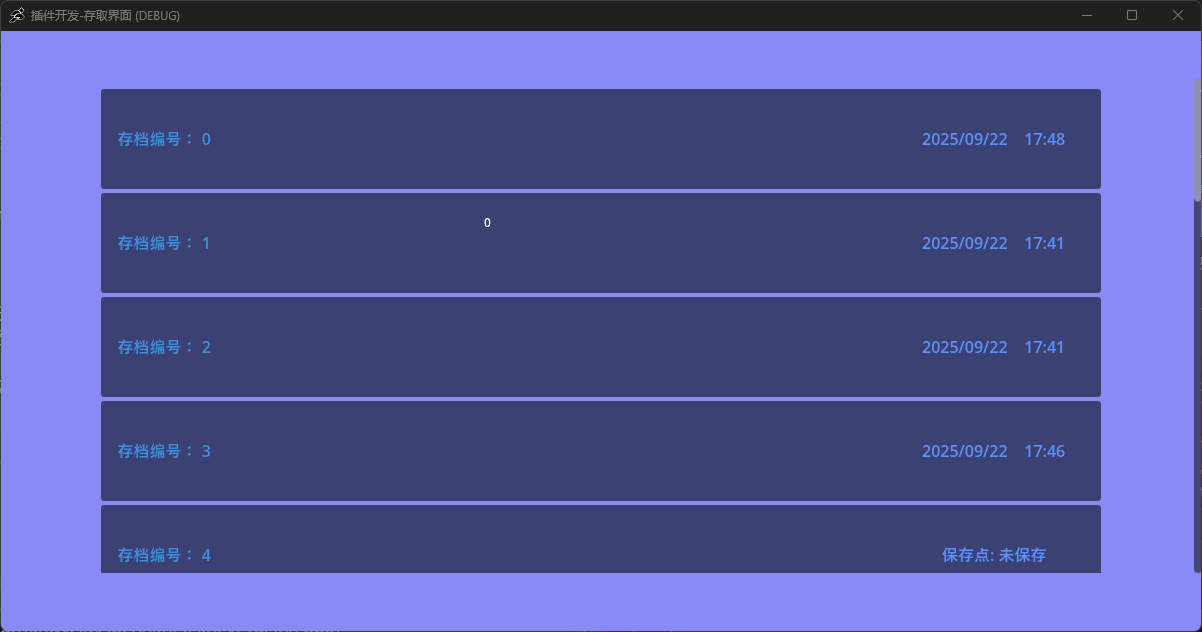
This is a save function implemented via a menu loading feature. You can use this plugin to customize your save interface. The plugin’s foundation provides a feature to set the number of save slots and records your save time.
Plugin Download
Simple Save Plugin.zip (17.9 KB)
How to Install:
- Download the plugin and unzip it. Copy the
addonsfolder from the archive into your project (if you already have anaddonsfolder, it will only add the required folders without overwriting anything).

- Enable it in the plugin options.

User Manual:
-
If you need a save interface, use the “Show Menu” action in the GameObject’s VS script, selecting the path
res://addons/agmsaveplugin/MenuScene/save.tscn.
-
If you need a load interface, use the “Show Menu” action in the GameObject’s VS script, selecting the path
res://addons/agmsaveplugin/MenuScene/load.tscn.
-
In the ButtonManager under the menu scene, edit the number of save/load slots by scrolling up or down with the mouse wheel.
-
If you need to exit the interface, press the ESC key on your keyboard.