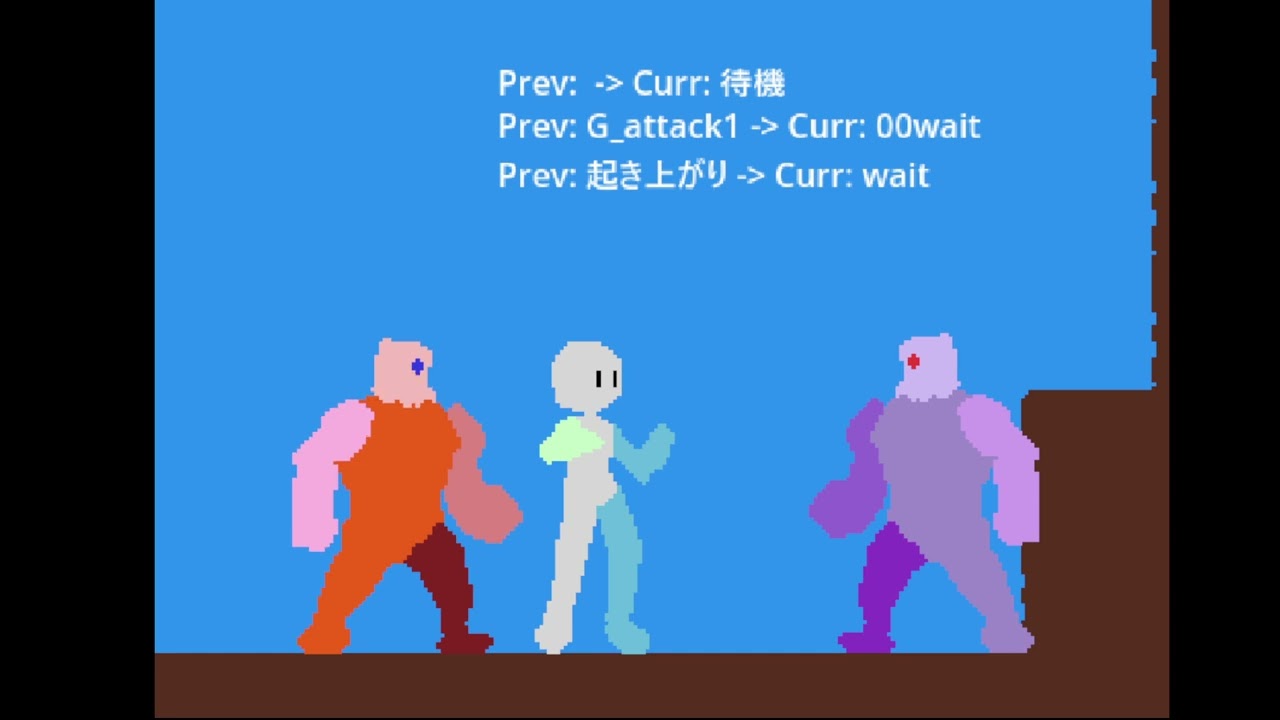
Sorry for the inconvenience, thank you for your understanding 

This might be a workaround, but could you please try the option “Enable attack again after a certain time” located under “Attack once”? If the specified time is set to the moment the attack hitbox disappears, continuous hits might be avoided.
Thank you. I will report back later…!
1 Like


Sorry,
I forgot to attach the video and screenshots.
I tried adding a keyframe to the attack animation to “enable another attack after a certain time.”
Hit stop was applied, but the following issues occurred:
-
First, a single jab attack is performed.
Hit stop is made clearly visible.
Game speed is set to zero.
Hit stop duration is set to 0.5 seconds, which is relatively long. -
Stop on the second hit.
→ Hit stop occurs due to the afterimage of the second jab. -
I press the gamepad button as if confirming the hit by timing it precisely.
-
I mash the button intensely as if playing the game.
→ Hit stop is triggered on the frame where the next attack appears (the frame showing the arm retracting).
As shown in the screenshot, I have configured the animation and collision.
Since it’s difficult to set by seconds, I’m editing in frame mode with snapping enabled.
To improve attack responsiveness, the time until the attack hitbox appears is kept short.
After the hitbox appears, I’ve set it to 2 frames because it seems the next attack won’t trigger if it’s only 1 frame.
I want to apply hit stop at the desired frame within the attack animation. How can I achieve this?
I have sent the project file to the following address:
pgmmv-support@gotchagotcha.jp
Please review it. Thank you.
Ideally, with the following operations:
4: Mash the buttons intensely while playing the game.
I want the attacks to properly trigger hit stop with animations where the arm extends for jabs and straights, similar to how button-mashing works in a certain Final Fight.
Only the somersault hit stop is working correctly. Although I intended to use nearly the same animation flow for jabs and straights, for some reason, the hit stop occurs while the arm is retracted.
Additionally, as can be confirmed even with the first jab at the beginning of the video, I don’t understand why the return to idle state is so slow.
Thank you for your assistance.
① Hit stop location
In this environment, hit stop from afterimages is not observed even when the second hit is stopped. Investigation into the cause is currently progressing with difficulty.
② Delayed return to idle state
Are you referring to a difference in return time between when the attack misses and when it hits, compared to the animation’s set duration?
As a method to investigate the cause, could you please try the following?
• Check if the issue still occurs when hit stop is disabled or the still duration is adjusted
→ To verify whether hit stop is the cause
• Create a new, simplified enemy dedicated solely to being hit
→ To verify whether the enemy’s TakenDamageSettings are the cause
No hit stop was confirmed during afterimages.
This appears to be an unstable phenomenon that occasionally occurs when repeatedly performing slow, manually timed combo attacks using the attack button.
It seems to be related to the hit stop offset (explained later).
② Slow return to idle state.
Are you referring to a difference in return time between whiffs and hits compared to the animation’s set duration?
Yes, jab whiffs return at normal speed, but on hit, the return motion feels stiff and noticeably slower.
By design, straight punches cannot whiff, but when compared to the AnimationPlayer playback speed, the in-game behavior feels significantly different despite being in the actual game.
As part of the investigation, could you please try the following?
• Check if the issue still occurs when hit stop is disabled or the freeze duration is adjusted.
→ To verify whether hit stop is the cause.
We have performed this check.
For both the original enemy and the simplified enemy, the hit stop settings are:
Game Speed: 0.0, Duration: 0.5.
The former enemy is now in a state where hit stop is OFF (or removed).
Moves flow smoothly without any issues.

The hit stop is ON for the former enemy.
When you press the button slowly, the hit stop behaves one way, but if you rapidly tap it as if playing the game, the hit stop behavior changes, causing misalignment.

・Create a new simple enemy dedicated to being defeated
→ Check if the issue is caused by the enemy’s TakenDamageSettings
Simple enemy hit stop is OFF.
The skill animation plays smoothly from start to finish without any issues.
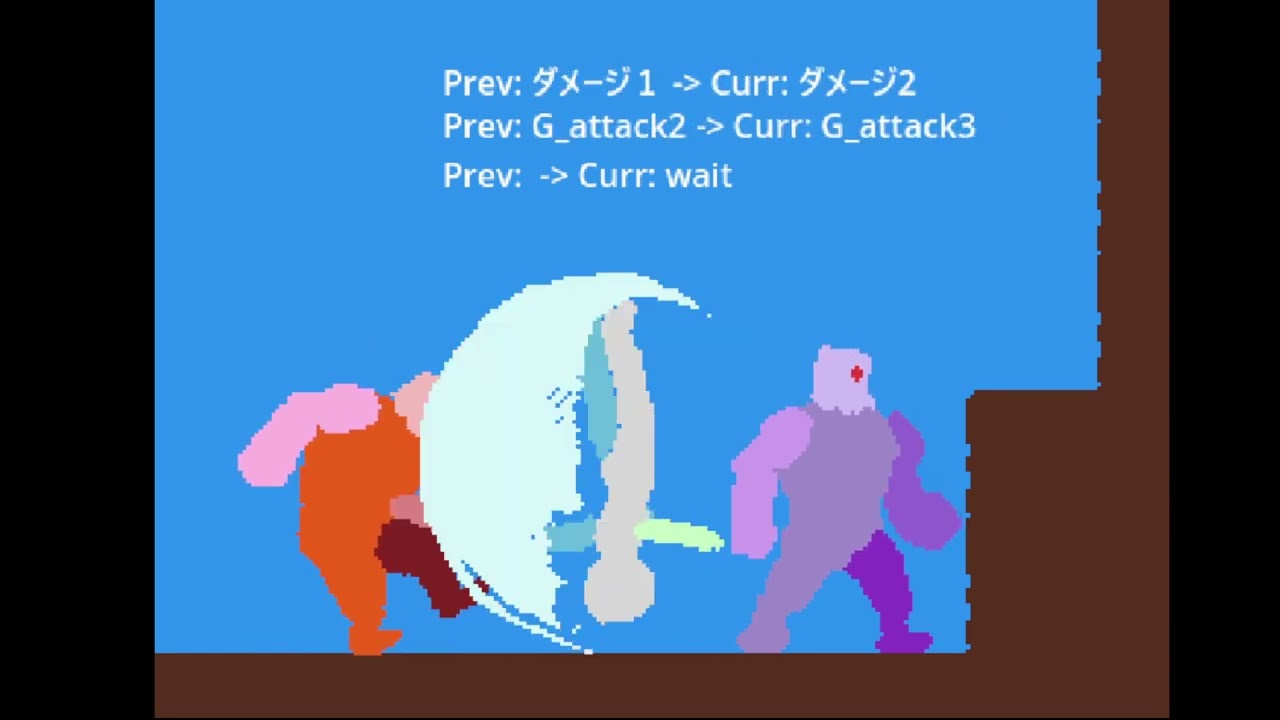
Simple Enemy Hit Stop is ON.
For some reason, it’s harder to chain into a summersault from this side,
and hit stop isn’t applying to straights or summersaults.
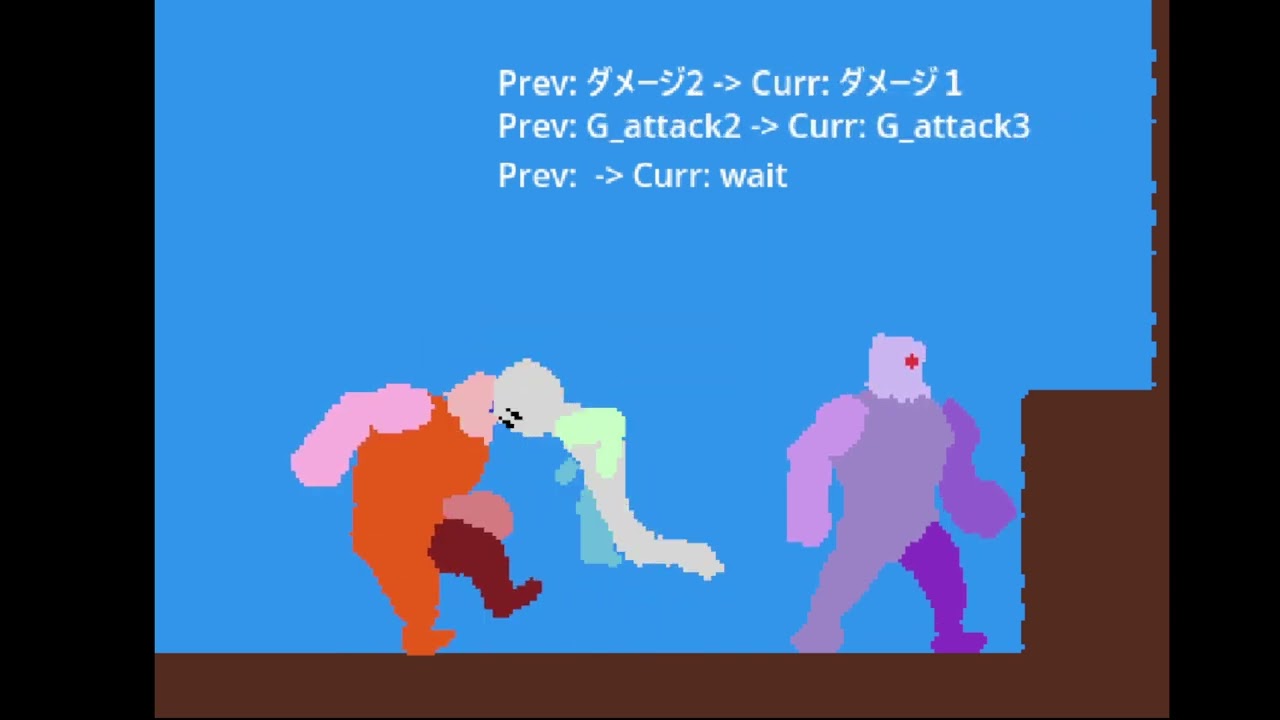

Regarding the discrepancy in hit stop:
In the case where hit stop is not applied when the collision appears in the attack animation, I used a video creation tool to check the flow of the attack and the number of frames and duration when hit stop occurs.
My impression is that hit stop is not applied when the collision makes contact, but rather takes effect at the start of the next attack.
Counting the frames on the video tool’s track:
- The hit frame is displayed for 5 frames.
- The first frame of the next attack’s start is displayed for 11 frames.
While there is indeed a stop, it no longer occurs at the moment of impact.
It seems the system is transitioning to the next attack state before hit stop is applied.
Therefore, in the current setup, the final summersault does have hit stop applied at the moment of impact when it connects, since there is no subsequent move following it, ensuring the attack collision triggers the stop correctly.
Similarly, when hit stop occurs during the afterimage frames of a jab, it likely applies during the second jab’s afterimage, even though it should have triggered on the first hit.
If we were to create a special move in the current system and chain it from the summersault, I suspect the hit frame of the summersault would briefly appear, and then hit stop would apply to the starting frame of the special move.
Currently, hit stop works well for single-hit moves, but for combos, it results in “stopping without a hit,” making it difficult to create heavy, impactful combo animations like those found in classic Capcom games such as Berserk or Street Fighter II, or the Smash Bros. format.
It might be possible with more complex state setups, but that would likely become quite cumbersome.
Is it possible to apply hit stop to the frame at the exact moment the attack collision specified in AnimationPlayer becomes active?

The video content is based on the following video:
We have sent the new project file to pgmmv-support@gotchagotcha.jp.
Thank you for your time.
Please review everything.

Thank you for the detailed information. We will review the data.
It seems to involve multiple factors.
I hope we can resolve them one by one.
■ The recovery of the move is slow during hitstop
Although it’s labeled as “stop,” if the setting reduces the game speed of the hit target,
it appears that the game enters a ≪slow motion≫ state during the hitstop phase.
The slow recovery likely occurs because the hitstop effect is still active.
Could you please try the following to see if it resolves the issue?
① Shorten the effect duration
② Set the game speed at hit to 0%

■By the way, a small tip:
It seems that repeatedly pressing the left or right key during an attack causes the same move to replay from the beginning.
To avoid this, please check the option “Do not accept changes to the displayed direction during action.”

In the latest project file I sent the other day, the game speed is set to 0.
I’ve adjusted the effect duration. Since 0.4 was too subtle to notice, I’m testing with 0.5 and 0.2.
The term “frames” I use refers to a single memory unit in the video tool. Strictly speaking, I can’t confirm the exact number of frames, but I’m using “frames” as a convenient term to compare display durations.
■ Hit Stop Effect Duration: 0.5, Game Speed: 0
• Jab Miss
G_attack1: Image 1 – Preparatory animation (not displayed)
G_attack1: Image 2 – Afterimage (displayed for 4 frames)
G_attack1: Image 3 – Hit animation (displayed for 4 frames)
G_attack1: Image 4 – Return animation (displayed for 8 frames)
→ Returns to idle
• Jab Hit
G_attack1: Image 1 – Preparatory animation (not displayed)
G_attack1: Image 2 – Afterimage (displayed for 4 frames)
G_attack1: Image 3 – Hit animation (displayed for 4 frames)
G_attack1: Image 3 – Hit animation + Enemy damage state (displayed for 34 frames)
G_attack1: Image 4 – Return animation (displayed for 42 frames)
→ Returns to idle
■ Hit Stop Effect Duration: 0.2, Game Speed: 0
• Jab Miss
Same as with effect duration 0.5.
• Jab Hit
G_attack1: Image 1 – Preparatory animation (not displayed)
G_attack1: Image 2 – Afterimage (displayed for 4 frames)
G_attack1: Image 3 – Hit animation (displayed for 4 frames)
G_attack1: Image 3 – Hit animation + Enemy damage state (displayed for 16 frames)
G_attack1: Image 4 – Return animation (displayed for 24 frames)
→ Returns to idle
As long as the button isn’t pressed for a second hit, the hit stop is properly applied at the frame when the attack collision occurs. However, it seems the hit stop effect is also being applied to the return animation.
This is a video of the content above.
Hit stop effect duration 0.5, game speed 0

Hit stop effect duration 0.2, game speed 0