Script Effects
Divided into two scripts.
One demonstrates how to use Condition: Detect Signal to notify the VS state machine of events occurring within the GD script.
The other demonstrates how to use Action: Emit Signal within the VS state machine to trigger logic in the GD script.
Key Points
playermust point to your actual game object.- This snippet briefly demonstrates using Godot’s native
is_on_floormethod to notify the game object to respond. - In the game object, use
Detect Signaland change the target signal name toon_floor_event, leaving parameters set to none. - After using the
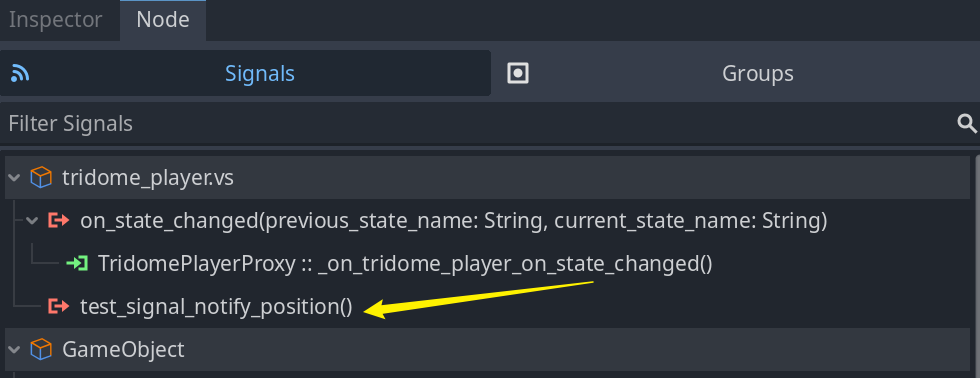
Emit Signalaction in the visual script, a new signal is dynamically added to the signal list, which can be used directly. Connect it to a function within a GD script.
Core
How to use Condition - Detect Signal
extends Node

signal agm_send_signal(signal_name, parameter)

@onready var player: GameObject = $".."
var was_in_air = false

func _ready() -> void:
	agm_send_signal.connect(Callable(player, "receive_signal"))

func _physics_process(_delta):
	if player.is_on_floor():
		agm_send_signal.emit("on_floor_event", null)
		pass
How to use Action - Emit Signal
If this action is used, the VS state machine will dynamically register a new signal.
You can then receive it in a GDScript script.