Over the past few days, while reviewing the Godot and AGM (Action Graph Maker) documentation and forum discussions, I have summarized some practical usage experiences. This serves as a learning note, organized and shared for friends.
In AGM, when you create a “Send Signal” action within a GameObject’s action list, the corresponding signal appears on the target object.
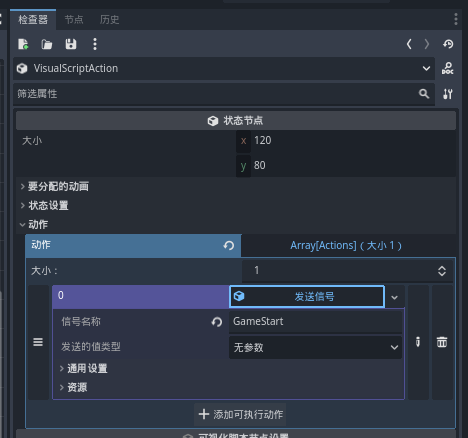
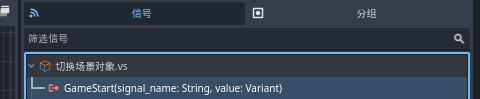
This signal can be used directly as a method in a GDScript script. Instantiate the GameObject in the scene, double-click to select the corresponding created script, and the associated method will be generated. Then, add a console print command to test the execution. If the print output appears normally, it confirms that the script has successfully received the signal.
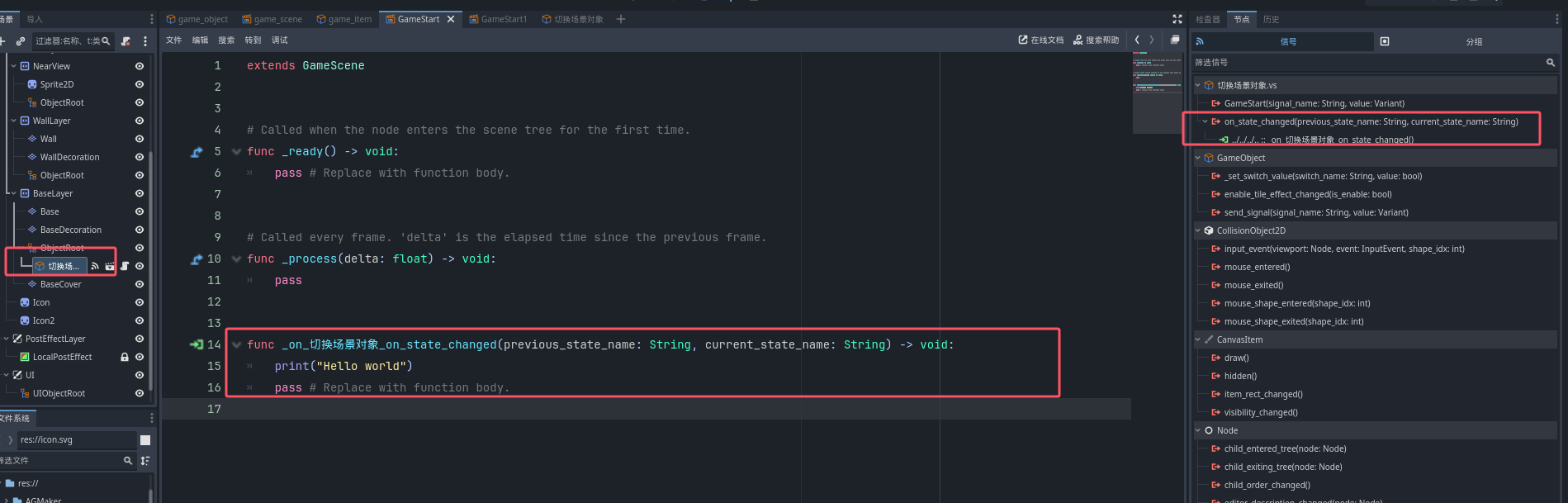
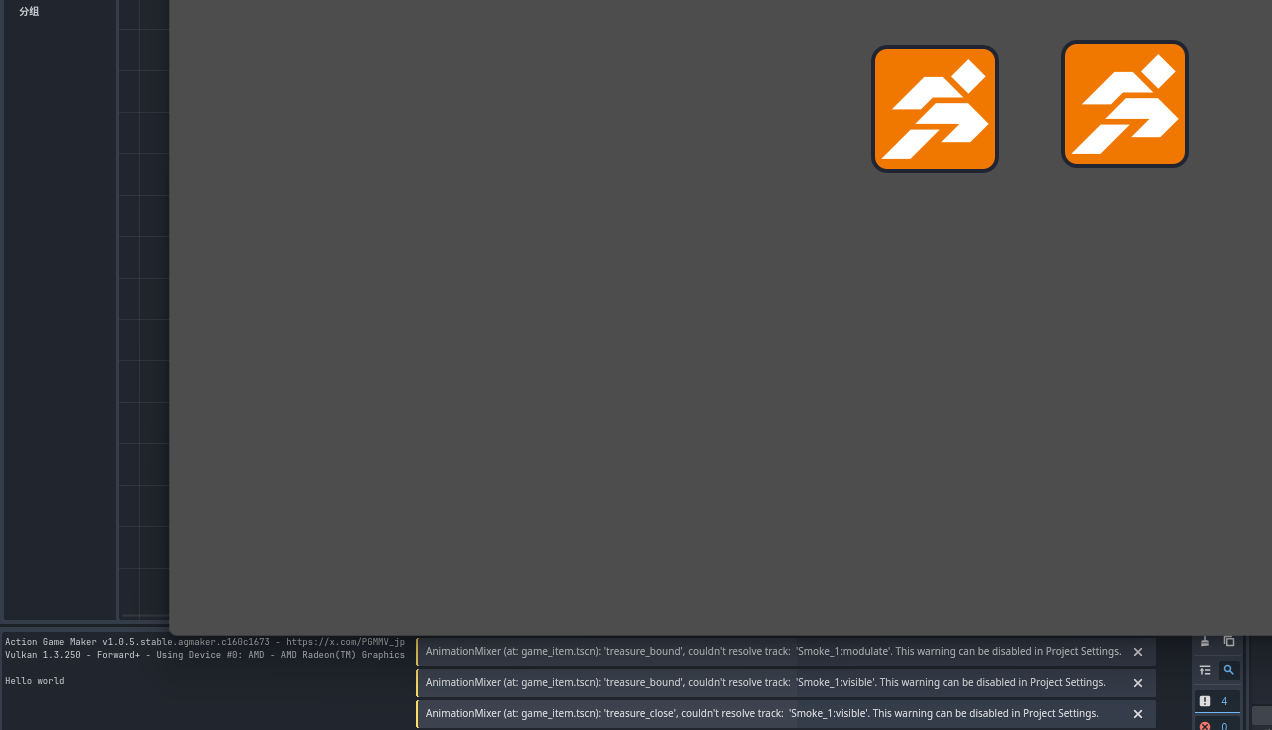
Next, to create a signal so that the script can receive it, you first need to define the signal. In the script editor, input the following:
# Call AGM's signal function
signal agm_send_signal(signal_name, parameter)
# After "GameObject=", you must specify the path to the object that will send the signal.
# If this script is placed under a child of the target object, use $"..".
# If it is not a child, you must specify the full path to the GameObject.
@onready var player: GameObject = $"SceneLayer/BaseLayer/ObjectRoot/切换场景对象"
# Create a new signal name. This statement allows you to modify the signal name anytime via the right-side menu for testing purposes.
@export var SignalName = ""

# Usually, the _ready function is already created when you generate a GDScript; you only need to fill in the code block.
func _ready() -> void:
# Connect the signal to the function
agm_send_signal.connect(Callable(player, "receive_signal"))
pass # Replace with function body.
# Send the signal
# Usually, the _process function is already created when you generate a GDScript; you only need to fill in the code block.
func _process(delta: float) -> void:
agm_send_signal.emit(SignalName, null)
pass
Complete script:
signal agm_send_signal(signal_name, parameter)
@onready var player: GameObject = $"SceneLayer/BaseLayer/ObjectRoot/切换场景对象"
@export var SignalName = ""

func _ready() -> void:
    agm_send_signal.connect(Callable(player, "receive_signal"))
    pass # Replace with function body.

func _process(delta: float) -> void:
    agm_send_signal.emit(SignalName, null)
    pass
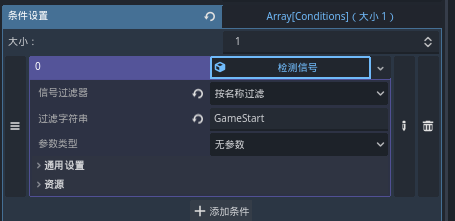
Here, we create an action that prints “Game Start” to the console, with the condition set to receive the “GameStart” function, and observe the print result.


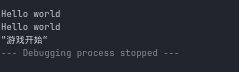
Printing successful.
Now that we have learned how to send and receive signals, let’s try using them. As an example, we’ll use a button.
Under GameScene, create a new Node and paste the code from above. Here, I mainly used a method to create a button to test the signal transmission functionality.
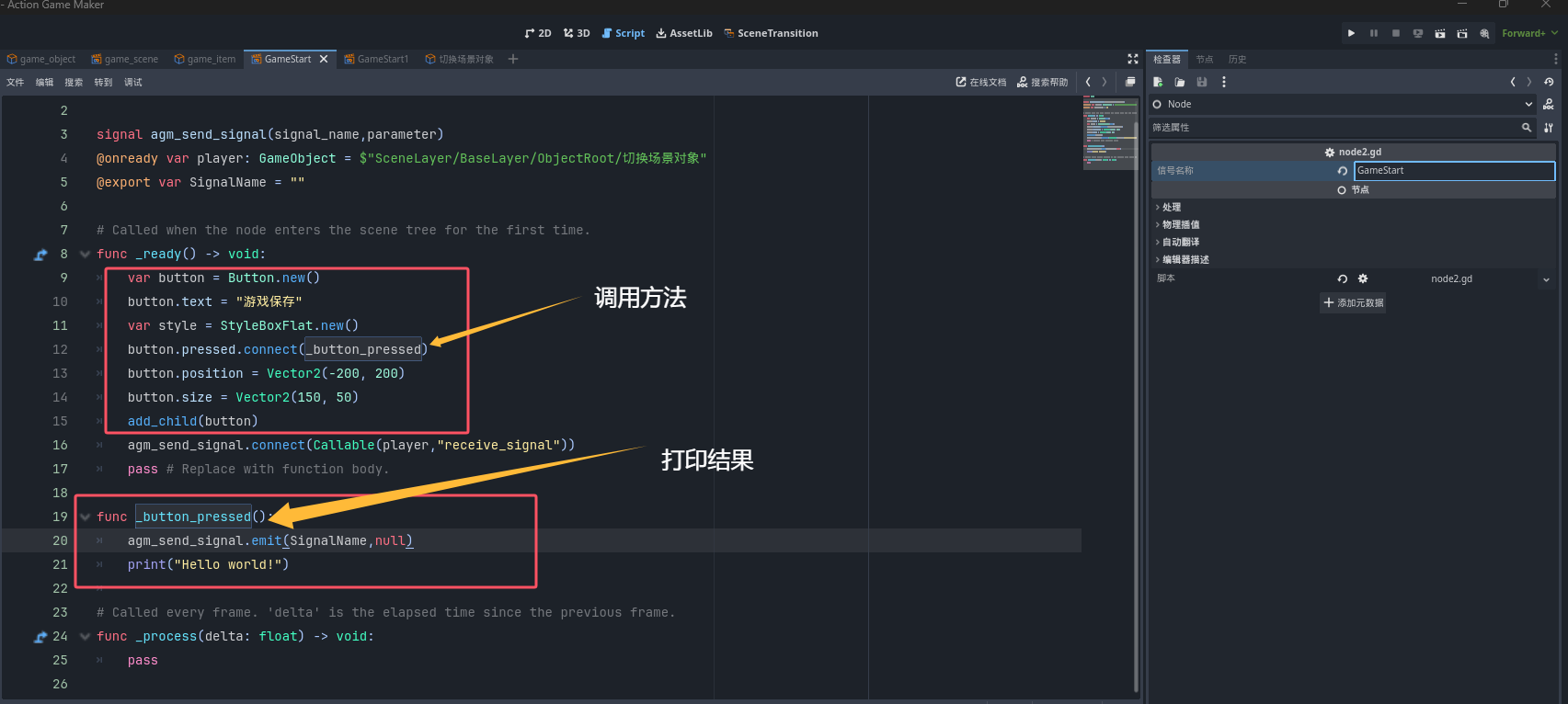
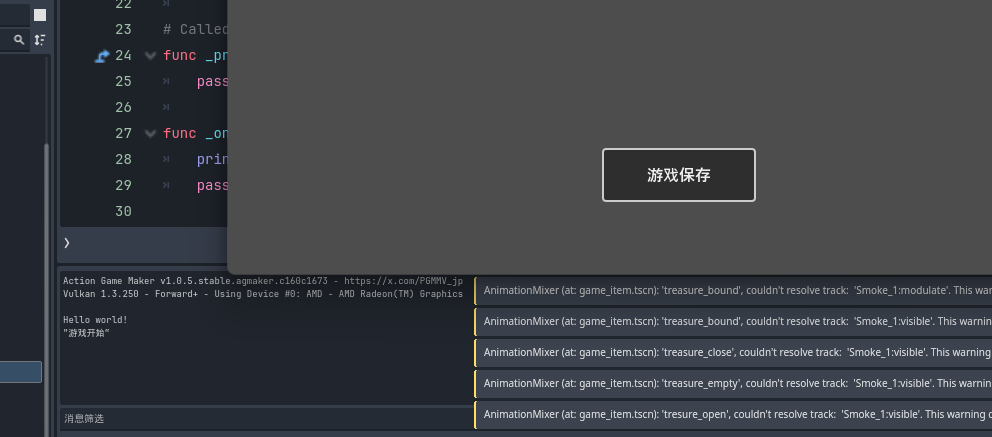
Click the button to test; the result prints successfully. (Note: I tried placing the script on the parent node, but it didn’t work; it only functions when placed on a child node. I hope a Godot expert can point out any errors.)
Next, let’s try scene switching. I have already created another scene, so I added a connection and set the condition.

Add an action to end the previous scene for testing.

Click the button to attempt the scene switch.

Switch successful.
This concludes my testing. Using AGM’s signal sending and receiving functionality, I tested the linkage between the button component and scene switching. I am still learning programming languages, and most of this content is compiled from official documentation and forum tutorials. Please forgive any imperfections, and feel free to provide corrections or additions so we can learn and discuss together.
