Hello, nice to meet you and thank you for your help.
I am currently studying the contents of the Menu Sample, and I would like to ask about the passability settings.
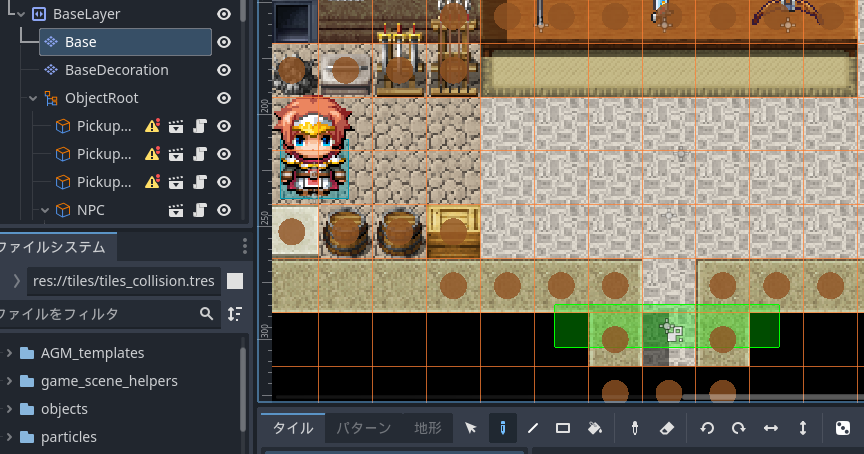
In this project, I believe that instead of setting collisions on tilesets as shown in the tutorial, a single image is used with transparent collision areas placed on it—but I don’t quite understand how this is done.
I understand that when the Base (TileMapLayer) is displayed, the brown circles indicate impassable tiles—but where exactly are these settings configured?
I also tried that sample project and was similarly confused.
I think the Base layer in the sample project has a tileset called “Texture Atlas,” but since the texture is empty, it’s hard to understand what’s going on.
I believe they probably set an arbitrary image as the tileset for the Base layer, configured collisions, painted over areas that become walls or obstacles as single images, and then hid the Base layer.
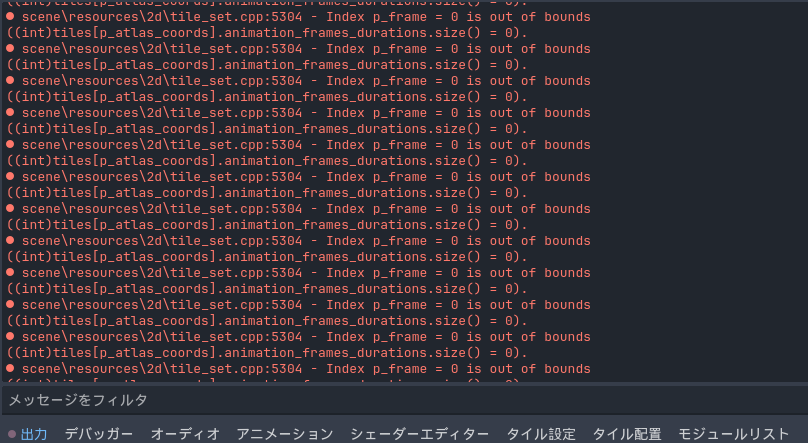
Sorry for this inconvenience. For some reason, the sample was using my textures as sub-resources from the .godot folder instead of from the actual paths (a weird Godot thing), so you need to re-add the textures (and the collisions).
Luckily, the way I created my tiles is very simple, so the fix is quite easy. I show how to fix this tile set error at the beginning of this video:
Thank you, DAI-san and Baz-san, for your replies.
It turned out that the link to the image I set as a tile for the通行 setting was simply broken.
I’ve successfully resolved the issue!