Currently, export to Windows and Web is supported.
Please note that due to the nature of running exports in a browser, Web exports may experience instability.
Export Method
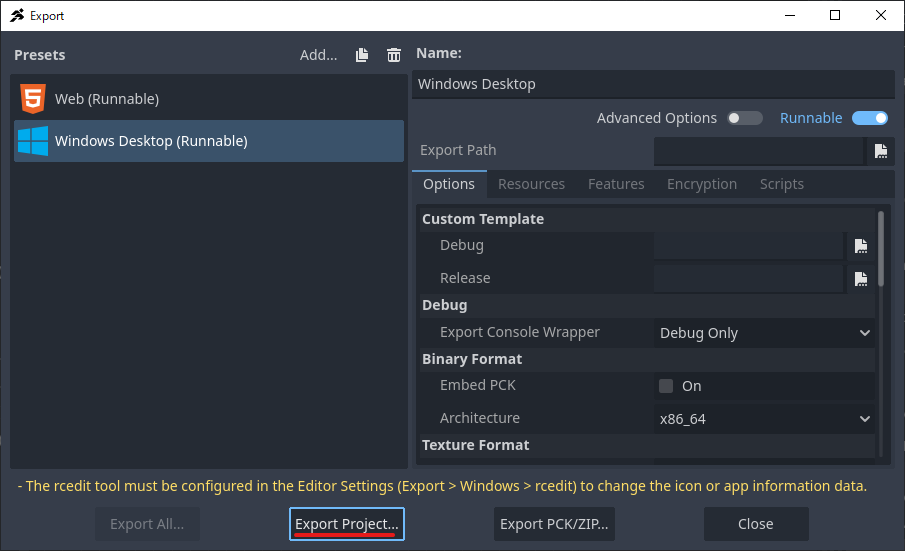
- Select Export from the Project menu.
- From the Add option in the Export window, choose the preset you wish to add.
- You can export your game using Export Project. For runtime options, please refer to the official Godot documentation: https://docs.godotengine.org/en/4.x/tutorials/export/exporting_projects.html


Important Notes on Export
The “Export only the specified scene and its dependencies” option in Export Mode will not work correctly in ACTION GAME MAKER, as it only exports items that are dependent within Godot’s scene system.
This is because items specified via Visual Scripting, resources defined in the database, and scenes placed in scene transitions are not considered dependencies.
If you wish to reduce the export size, please manually select the scenes and resources you wish to export.