Sample Project for ACTION GAME MAKER
Explanation of “Ladder Sample”
※Currently available for free on Itchi.io, but will soon be downloadable as sample data directly from the AGMaker main application.
For the basic concept, please refer to:
1. Screen Explanation
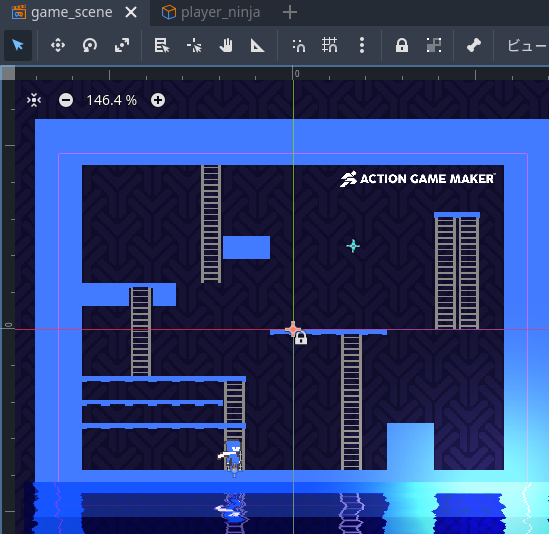
[game_scene]
This is the scene of the project.
DistantView: Looping tile image
WallLayer: Ladder tiles
BaseLayer: Basic tiles and the player character
Start test play by pressing ▲ in the top-right corner of the screen.
Move: ↔
Jump: Z
Grab ladder: Press ↑ while touching a ladder tile
Ladder tiles are set in the WallLayer.
When checking the ladder tiles via the [Tile Settings] mode using [Select],
the area variable ≪845≫ is assigned to the player via ≪Overlap≫.
※Normally, non-ladder tiles are set to -1.

2. Mechanism for Snapping to Ladders
Check the Script of the scene object [player_ninja].

Snapping is performed using the [ladder check] state and two red states.
Basic calculation method:
- Assign your own X coordinate to the variable [x keep]
- Divide [X keep] by 16 (tile size)
- Copy the resulting number to the variable [Comparison]
- Divide by 1 and get the remainder → This yields a decimal value
- [Comparison] - [keep x] = This cuts off the decimal part
- [Comparison] × 16 to return to tile size
- Set [Comparison] back to your own X coordinate
As a module feature, it is published at:
This is a convenient function that allows partial action states to be reused in other projects.