開発者のアップデート: ツールとオイルランプのUIも再設計し、よりすっきりとした見た目になりました。また、これらは「ユーティリティ」というグループに移動されました。このグループには、他のオブジェクトと対話したり、自分自身と対話したりするのに役立つすべてのアイテムが含まれています。
また、低スペック端末(2コアCPU以下)でプレイしている場合、クエストトラッカーにパフォーマンス上の問題があることが判明しました。これは次のアップデートで修正・最適化されます。
開発者のアップデート: ツールとオイルランプのUIも再設計し、よりすっきりとした見た目になりました。また、これらは「ユーティリティ」というグループに移動されました。このグループには、他のオブジェクトと対話したり、自分自身と対話したりするのに役立つすべてのアイテムが含まれています。
また、低スペック端末(2コアCPU以下)でプレイしている場合、クエストトラッカーにパフォーマンス上の問題があることが判明しました。これは次のアップデートで修正・最適化されます。
新バージョンのお知らせ: アップデート 0.0.5 が利用可能です。今回のアップデートはマップシーンにおけるUI変更のみを目的としています。主な変更点は以下の通りです:
また、最新のクライアントビルド(26082801)でアップデートが適用できないことが確認されました。これはデプロイ時に必要なファイルが不足していたことが原因です。修正済みのビルドを再度アップロードしました。すでに不具合のあるビルドをダウンロードしている場合は、再ダウンロードし、セーブフォルダを新しいビルドに移動してください。このビルドには最新のアップデートが適用されています。
開発者のアップデート: 次のパッチでは、強化結晶の入れ替え時のフローが改善されます。現在装着中の結晶の効果を対象のものと比較して確認できるようになり、どちらを保持するかを決定するための情報がより豊富になります。
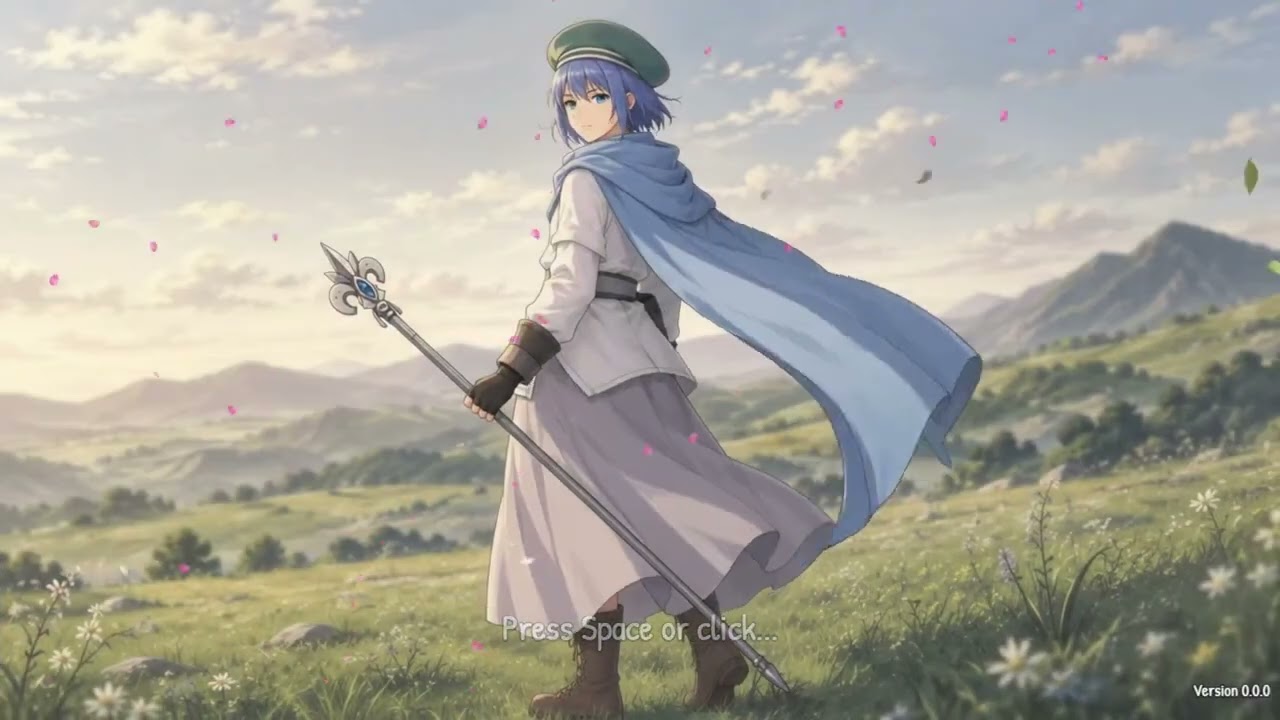
開発者のアップデート:新メインメニューの初公開!
この画面を仕上げるために1週間以上かけて作業し、仕上がりには非常に満足しています。プレイヤーがゲームを起動した瞬間から、ゲームに新鮮な雰囲気を与え、より強い第一印象を残せることを願っています。
まだ微調整が必要な部分もありますが、100%完成したわけではありません。
アップデート 0.0.6 が公開されました。最新のアップデートを適用するには、ゲームを再起動してください。これは大きなアップデートのため、ダウンロードに時間がかかる場合があります。以下が主な変更点です:
 タイトル画面のBGMを一新
新しいシステムSEを追加
ゲームアイコンを再デザイン
時間HUDとクエストトラッカーのUIを再デザイン
強化クリスタルの交換時に、スロットに装着されている現在のクリスタルを確認し、選択中のクリスタルと情報を比較できるようになりました
オプションで「高速化」機能をON/OFFできるようになりました
スキルメニューで、選択したスキルの詳細情報をより多く表示
バリアで時間経過ダメージを防げるようになりました。また、不死族や「腐敗」状態中、時間経過による回復効果は逆転(ダメージ)されるようになりました
攻撃回数ボーナスを提供するクリスタル(ダブルエッジ、トライプルエッジ、クアドルプルエッジなど)のダメージ計算が正しく行われるように修正
ディメンショナルシャードを外した際に装備が粉々になる場合、他の装着中のクリスタルはすべて保持され、安全にインベントリに戻された後に粉々になるようになりました
ベトナム語の「未定義」の会話文を一部修正
アップデート 0.0.7 が公開されました。最新アップデートを適用するには、ゲームを再起動してください。これは主に UI/UX に焦点を当てた一般的なアップデートです。主な変更点は以下の通りです。
全新的なダメージポップアップシステムを追加しました。これにより、与えたダメージ/受けたダメージ、回復量/被回復量、ドットダメージに関する情報がより詳細に表示されます。具体的な変更点は以下の通りです:
キャラクターの HUD に HP 値の隣に吸収バリアーの値を表示しました
ロード画面のゲームタイトルを更新しました
インベントリ内のアイテムカテゴリを再デザインしました。視認性と整理のしやすさ向上のため、2つのカラムに分かれました
インベントリ、装備、スキルなどアイテムが多数ある画面に、マウスおよびタッチ入力に対応したドラッグ可能なスクロールバーを追加しました。これにより、上下にドラッグして素早く閲覧できるようになりました
クラフト画面にサブカテゴリを追加しました。クラフト可能な装備はそれぞれサブカテゴリ(剣、鞭、手甲、杖など)に分類され、目的のアイテムを見つけるために非常に長いリストをスクロールする必要がなくなりました
画像やオーディオファイルが欠落している場合にゲームがクラッシュしないよう、汎用的なフェイルセーフを追加しました
ドットダメージはバリアーでブロックできるようになりました。また、不死族や腐敗状態中は、時間経過による回復効果が逆転(ダメージ)するようになりました
パーティ画面や装備画面でキャラクターの顔がたまに表示されない不具合を修正しました
「ルナシールド」(アイコのスキル)が特定のダメージを受けた際に即時剥がれてしまう不具合を修正しました。現在は特定のダメージのみがシールドを貫通します
戦闘外で使用した際に対象に「ジュジュバランス」バフが適用されてしまう不具合を修正しました
マニュアルで画像が初めて表示される際に読み込まれない不具合を修正しました
ベストiaireリストで敵を初めてクリックすると、自動的に選択される代わりにカーソルがその敵に移動するようになりました。2回クリックするとその敵が選択され、詳細情報を表示できます
メインメニュー内のベストiaireの配置を別の位置に変更しました
バレンカシティで通行不可能なタイルが正常に機能しない不具合を修正しました

