[MZ] BattleSkipToggle — バトル用の本格的な早送りトグル(アニメーション、移動、ログ待機)
みなさん、こんにちは!
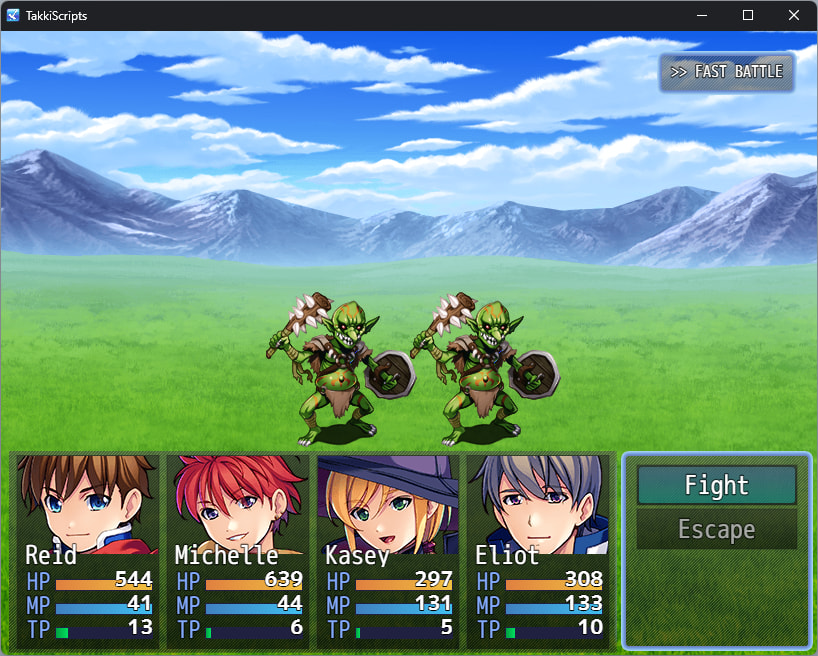
このたび、RPG Maker MZ 用プラグイン BattleSkipToggle をリリースしました。これは、本格的な「バトル早送り」トグル機能を追加するプラグインです。キーを一度押すだけでオンになり、アクションアニメーション、バトラーの移動、バトルログのメッセージ待機速度が、オフにするまで高速化されます。
機能概要
RPG Maker MZ には、OKキーまたはShiftキーを押し続けることでメッセージ待機を早送りする機能がありますが、アニメーションの再生やバトラーの移動には影響せず、またキーを押し続ける必要があります。このプラグインはこれらの問題を両方とも解決します:
- 本当のトグル機能(押しっぱなしではない) — ホットキーを一度押すだけで、もう一度押すか、イベントによってオフになるまで早送りモードがアクティブなままになります。
- 重要な部分をすべて高速化 — アニメーションエフェクト、バトラーのステップ移動、バトルログの待機を、同じ設定可能な倍率(2倍〜20倍)で高速化します。
- ダメージポップアップは読みやすく維持 — スキップモード中でも、数字は意図的に通常速度のまま表示されます。
- オプションのオン画面インジケーター — プレイヤーが常に早送りモードが有効であることを確認できます。
- セーブごとに保持(オプション) — トグルの状態をセッション間で記憶させるか、すべてのバトル開始時にリセットするかを選択できます。
- プラグインコマンド付き —
Set Fast Battle Modeコマンドにより、イベントから強制的にオン/オフを切り替えることができます。
開発の動機
ランダムエンカウントの周回や長いボスアニメーションの繰り返しは退屈になりやすく、戦闘中ずっとキーを押し続けるのはUX(ユーザー体験)として良くありません。コアエンジンのファイルに触れることなく、テキストだけでなく、実際にバトルを遅くする部分(アニメーションと移動)を高速化する、本当のトグル機能を作りたかったのです。このプラグインは、エイリアシング(Window_BattleLog、Sprite_Animation、Sprite_Battler、Scene_Battle)のみを使用して構築されているため、他のバトル系プラグインとの互換性を保つことができます。
ダウンロード
GitHub - LeonneBrito/rpmakermz-plugins · GitHub
— Takki