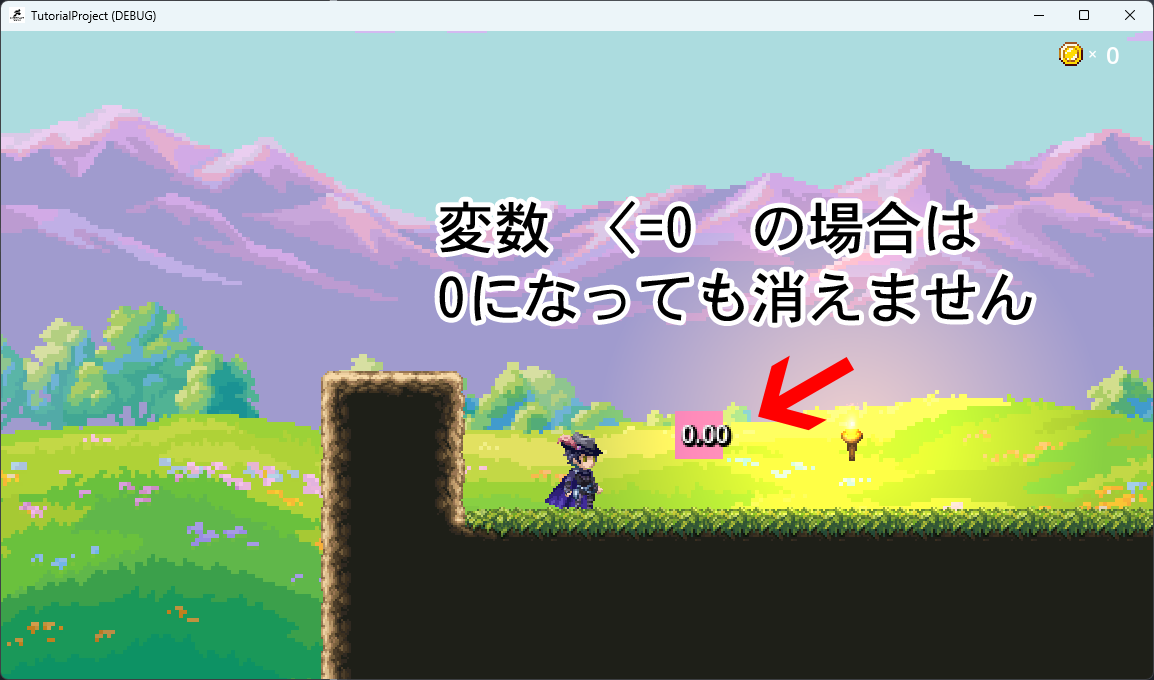
When the countdown timer variable reaches 0, the condition link to transition to the next state does not trigger, even though it should.
In testing, when I assigned 0 to a different variable and set up a condition link to trigger when that variable equals 0, it worked correctly. Therefore, it’s possible that the countdown timer displays 0 as “0.00” rather than simply “0”.
Could you please verify this?
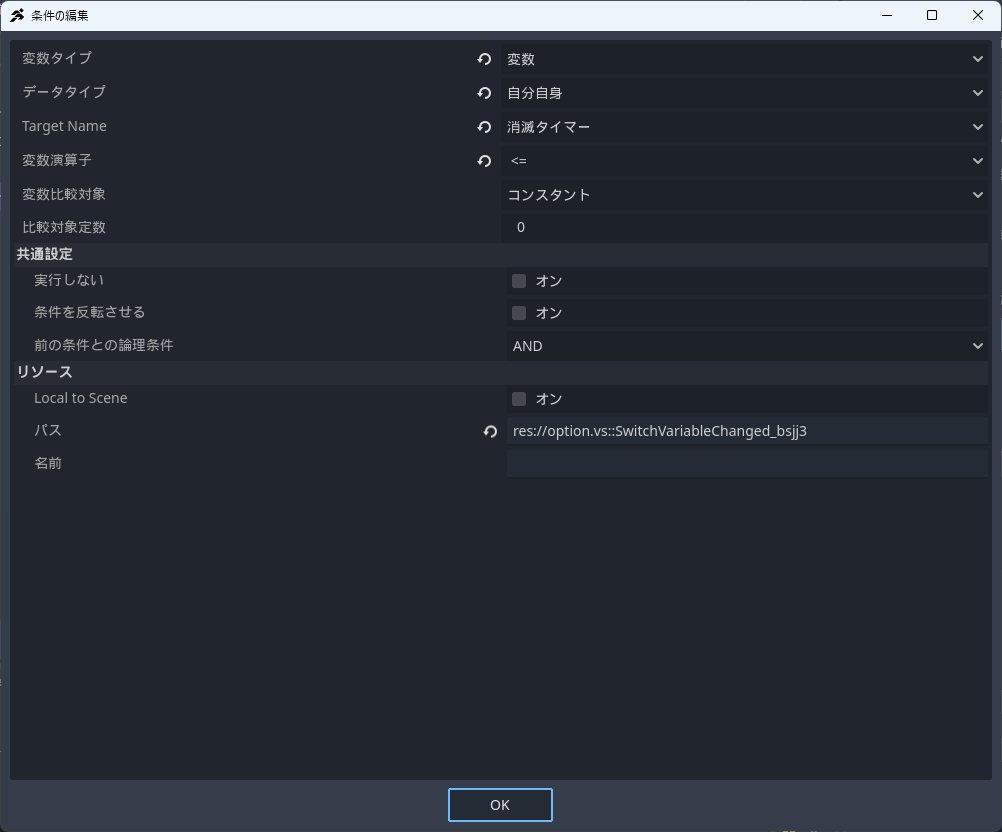
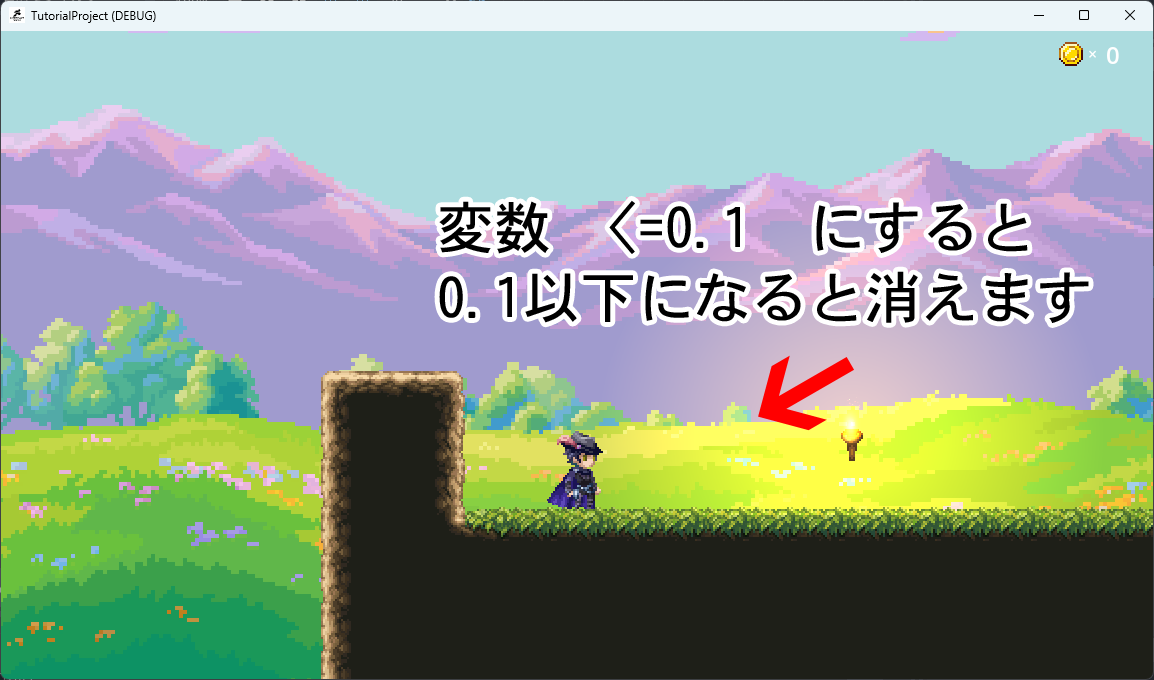
P.S. Since this is a countdown, the counter variable ultimately becomes 0.00. However, links with conditions such as “variable = 0” or “variable <= 0” do not trigger, while “variable <= 0.1” does work.
Thank you for your reply.
Hmm, I wonder why. Shortly after your reply, I added a note saying that the link does not move when the variable is <= 0, but it does move when the variable is <= 0.1.
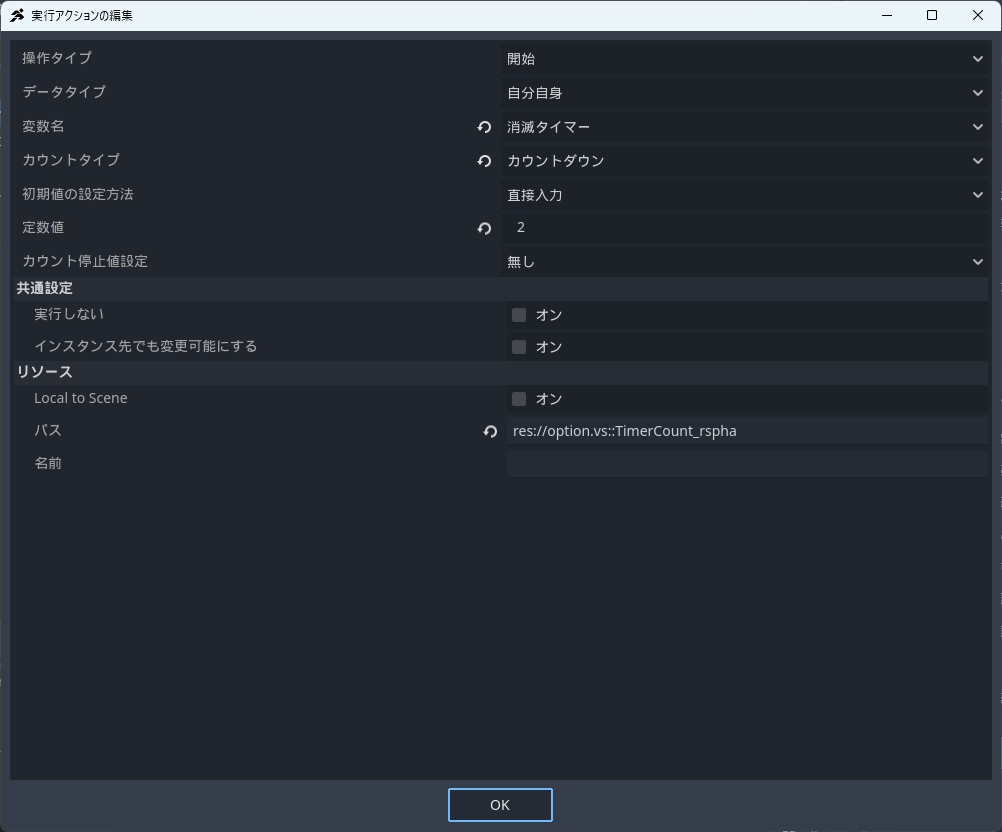
I created a separate object from the player, attached a Visual Script (VS), and used a counter variable on that object itself, adding a variable called “destruction timer.” It’s a VS that appears and disappears after 2 seconds.
I also attached a text to that object so the countdown can be seen as the counter decreases over the 2 seconds.
When I change the link condition to variable <= 0.1, it works normally, so I don’t think there’s a typo in the variable name or anything like that. Hmm, it’s strange.
I even tried changing it to a global variable (project variable), but the result was the same…
Although this is a bit off-topic, is the value showing as 0.00 in the photo above displayed using VS’s text display?
If you set VS’s text display to show decimal places, it should display 0 as “0” rather than “0.00” when the value is zero.
Since it’s not showing that way, could it be possible that some unusual processing is being applied to the variable through another process?
The only difference between my processing and yours is that you’re directly inputting the initial value, setting the default to 2.
At first glance, it seems like a perfectly fine and reasonable setting…
However, I reference the value set in the database and assign it accordingly.
Thank you for your reply.
I haven’t done anything special—it’s a simple VS with only two states…
I have the “Show Text” action set to hide decimal places (turned off).
Even when I input 2 directly, or initialize the counter variable with 2 from the start, I get the same result.
Also, I forgot to mention one of Mayo’s suggestions:
When I set the “Stop Counting Value” to a constant and set the constant value to 0,
then used either “variable <= 0” or “variable = 0” as the link condition,
the link progressed properly and the object was deleted.
But Mayo, you said it worked fine even without setting that… Hmm.
Anyway, I’ve managed to get the desired result now, but I still feel uneasy.
Could it be that it’s actually stopping at something like 0.001, and the system just doesn’t recognize it as 0?
If so, then the countdown not reaching 0 would be a bug, right?
This may be unrelated, but when assigning constants using variable assignment, please try this: enter the number 1.2, and after confirming the input, hover your mouse cursor over the 1.2 (as if hovering over an item to display details). Doesn’t it then show something like 1.19999999 instead of 1.2? While 2 remains as 2, perhaps in reality, values like 1.9999999 or 2.0000001 are actually being stored instead of exactly 2. If the timer decreases in increments of 0.01, the digits beyond the third decimal place might remain un-subtracted, causing a situation where the value never becomes exactly 0 or ≤ 0—this is just my wild speculation.
Indeed, doing that in 1.2 yields the creepy number:
1.19999999999709
LOL
2 remains exactly 2, though.
Come to think of it, there was some similar issue with decimal places in the ACTSUKU MV timer…
Hmm, I forgot the details.