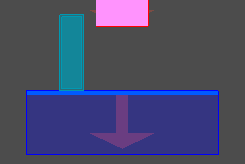
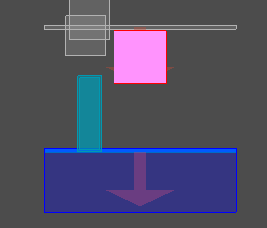
When a player stands on a floor that moves up and down, they sink slightly into the floor while it is moving upward. Similarly, when standing on a floor that moves left and right, there is a slight lateral offset. Is there a good way to avoid this?
1 Like
This behavior likely occurs because physics collisions between CharacterBody2D instances are triggered from “both” sides.
Regarding the solution, would either of the following two approaches work?
-
Do not use the collision on the GameObject itself; instead, create an AnimatableBody2D as a child of the GameObject and use a CollisionShape2D on that child to detect walls.
-
Similarly, use a TileMapLayer as a child and create a moving platform using the TileMapLayer.

-
Except for getting stuck, the moving platform with an added AnimatableBody2D and an existing CollisionShape2D as its child exhibited behavior where an invisible collision appeared in a different location than the platform, so it did not function properly.
-
I tried placing the moving platform on a TileMapLayer, but there was no noticeable change.
I see… I’ll try it out locally for a bit.
I have investigated and tested various approaches. First, as a premise, this issue is largely due to Godot’s specifications.
The problem arises because both the character and the floor perform physics processing. Depending on the order of operations for “the floor moves” and “the character detects movement and moves,” clipping occurs. Attempts to resolve this clipping cause the character to move, resulting in a positional offset.
In conclusion, the solution is to avoid using GameObject and instead use AnimatableBody2D.
If you place the following object in the field and try it out, the 1-pixel offset should not occur.
animatablebody_test.zip (1.6 KB)
On the other hand, using this as-is will likely prevent the transition to the landing state, so processing for detection is required. I believe it will be necessary to implement processing using Area2D or similar, but I will confirm with the development team what the optimal method is.
We have confirmed that the transition for “Object Wall Detection and Contact” is available for both AnimatableBody2D and Collision2D, so please use the previous comment’s code. By setting a “Group” on AnimatableBody2D, we were able to achieve landing!
For simple platforms, you can use this as is.
If you want actions like “start moving with a switch,” I think you will need to use signals, etc.
I tried various things and it mostly worked as expected, but during vertical movement, the protagonist briefly becomes airborne. Is this a problem that can be resolved?
If it’s an AnimatableBody2D, the snaplength setting should take effect, so wouldn’t increasing the snaplength prevent this issue? What do you think?
Is snaplength on the player side? I currently have it set to 20 pixels.
If I make it too large, it behaves strangely. What would be a good value to set it to?
It depends on the platform’s speed.
I think if the distance exceeds snaplength within one frame (0.016 seconds), the suction effect will be lost and the object will float. Therefore, I believe setting snaplength to a value slightly buffered from the platform’s movement speed multiplied by 0.016 should allow it to stick.
I tried reducing the speed, and it seems to be working correctly for now. Although there is a limit to the speed, I think it is within an acceptable range for the current situation. Thank you.
The following issues are currently under investigation. If you have any ideas, please let us know.
-
When the pass-through floor is set to AnimatableBody2D, a landing detection appears momentarily.
Normally, with standard wall collision settings, floors created with OneWayCollision that allow passing from bottom to top function correctly. However, when using AnimatableBody2D, it seems that a downward collision is momentarily detected when passing upward. -
Cannot collide the head with the ceiling made of AnimatableBody2D.
Even with “Stop upward movement on object wall collision” checked, AnimatableBody2D appears to be excluded from the detection, so upward movement does not stop. While it might be possible to resolve this by adding an action to set the vector to zero upon upward collision, it feels like a slightly unnatural specification.
We will confirm these two points on our end and report them to the development team.
We have fixed these two issues in version 1.0.21, released today. We would appreciate it if you could confirm.
The two issues appear to be functioning correctly.
However, I am now unable to land on platforms moving upward. I haven’t tested this extensively, but since landing works again after reverting to version 1.06, this may be a bug introduced by recent collision box fixes.
It appeared to land when I tested it locally; could you please provide more detailed information?
