Aktsuku Tips #001: Image Placement
When placing an image [Sprite2D] in a Scene [Node], you can place it on the desired layer by holding Shift while dragging and dropping.
Aktsuku Tips #001: Image Placement
When placing an image [Sprite2D] in a Scene [Node], you can place it on the desired layer by holding Shift while dragging and dropping.
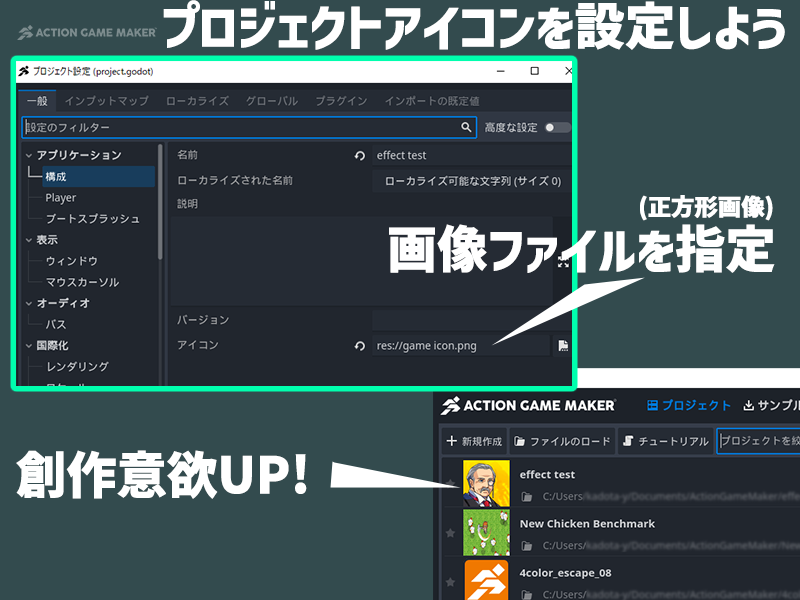
Aktsuku Tips #002: Set a Project Icon to Maintain Motivation
In the project settings, go to “General” → “Configuration” and specify an icon image from the ≪file system≫.
Aktsuku Tips #003: Finding Overlapping Nodes
If nodes are overlapping in the scene and cannot be selected, press Alt + Right-click to display the “List”.