寻找问题原因的视频
问题动画
Problem Analysis Video:

//
问题已解决的视频
问题解决视频
Problem Solved Video:
//
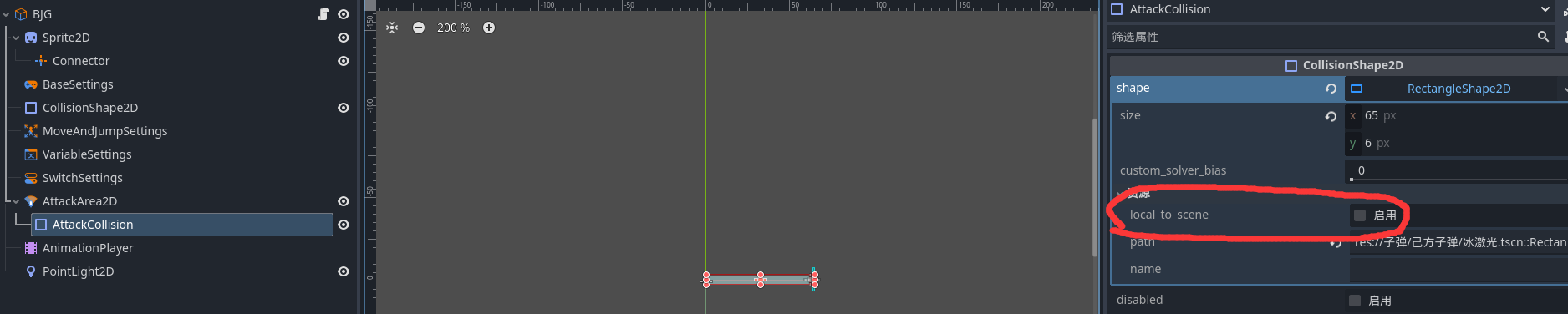
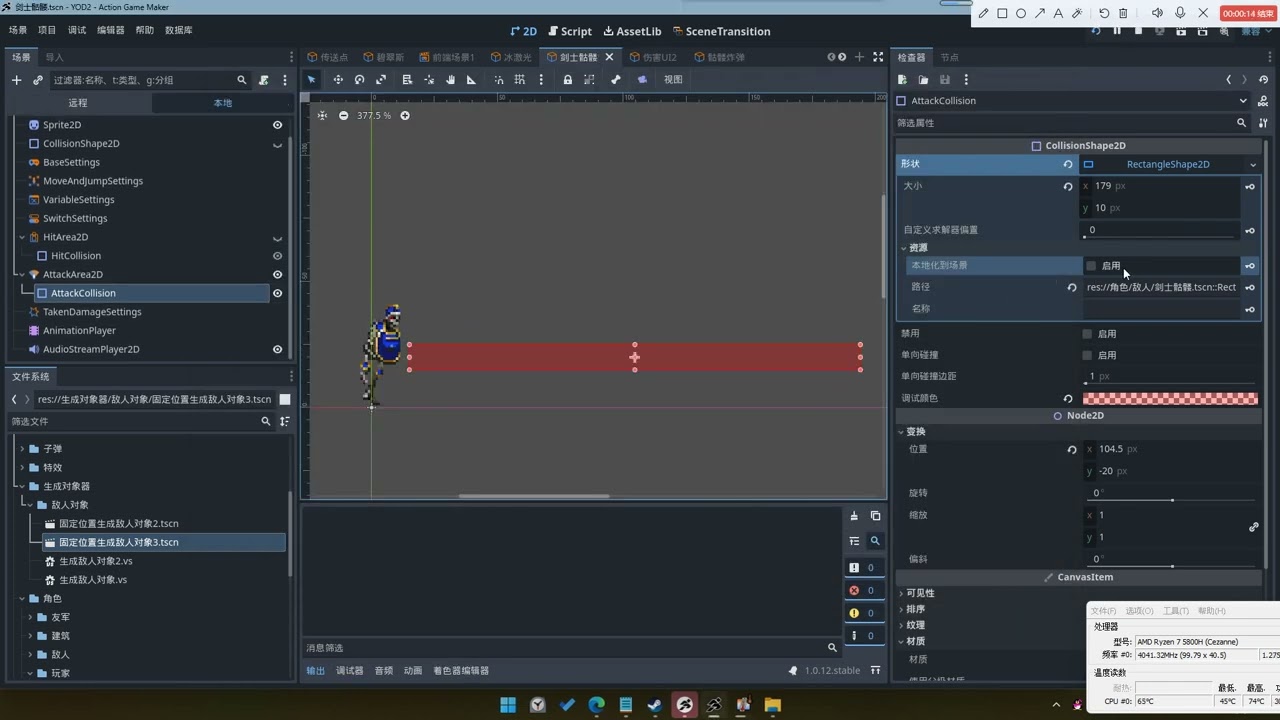
今天早上,有群成员遇到同一个对象(例如:子弹1和子弹2)的红框大小发生变化的问题。经调查发现,AttackCollision 节点内存在一个名为“resource_local_to_scene(场景本地化)”的资源选项。若未启用该选项,同一对象的复制体(后续生成的同对象)会因其中一个对象修改攻击范围,而联动改变其他对象的攻击范围。
能否将此选项默认设为启用?由于许多用户不了解此机制,常导致难以定位问题根源。同时,该功能本身未来可用于实现多种新功能,因此建议保留功能,仅调整默认设置。感谢官方团队持续修复 Bug!
///
This morning, a group member encountered an issue where the red frame size changed for the same object (e.g., Bullet 1 and Bullet 2). Upon investigation, it was found that the AttackCollision node has a resource option “resource_local_to_scene (localized to the scene)”. If this option is disabled, duplicate objects of the same type (subsequent instances) will have their attack hitboxes changed in tandem when any one instance modifies its hitbox.
Could this option be set to enabled by default? Many users are unaware of this behavior, which often leads to difficulties in troubleshooting such issues. Please retain this feature, as it can enable many new functionalities in the future. Thank you to the official team for continuously fixing bugs!
///
今早群友遇到了一个同对象(例:子弹1和子弹2)改变红框大小的问题喵,寻找了一下在AttackCollision节点,里面有一个resource_local_to_scene(本地化到场景)的资源选项,不启用的话,同对象的复制对象(后续同对象)会因为其中一个同对象改变攻击框导致,其他对象也跟着改变,这个选项能否改为默认开启呢(因为好多人不知道这种情况,可能会找不到问题出在哪里了),请保留这个功能,后续可以实现好多新功能,也要谢谢官方一直修复bug喵!
///
图片:
image: