最小复现:一样的对象,有一个不能成功加滤镜.zip|附件 (121.5 KB)
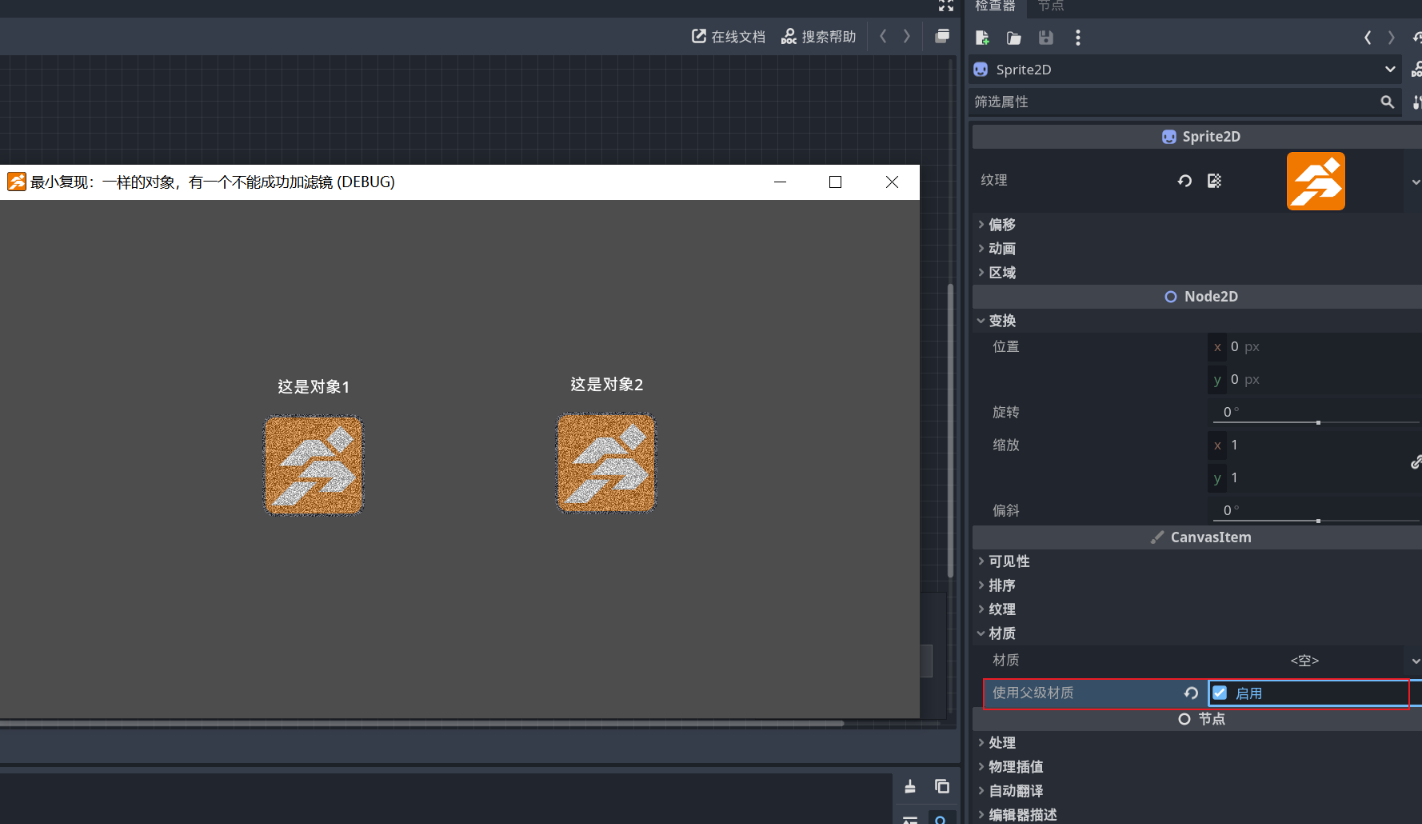
该项目的内容是,内部有两个对象,它们的节点和程序完全相同,都在给自己添加噪声,但在游玩时第二个对象不会显示噪声。值得注意的是,虽然它们看起来一样,但创建方式不同:对象1是通过创建角色模板后删除部分节点,使其与对象2一致;对象2则是直接创建的空白模板。
最小复现:一样的对象,有一个不能成功加滤镜.zip|附件 (121.5 KB)
该项目的内容是,内部有两个对象,它们的节点和程序完全相同,都在给自己添加噪声,但在游玩时第二个对象不会显示噪声。值得注意的是,虽然它们看起来一样,但创建方式不同:对象1是通过创建角色模板后删除部分节点,使其与对象2一致;对象2则是直接创建的空白模板。
The filter effect of AGM is applied to the root node, and any child nodes that need to respond to this effect must check “Use Parent Material.” This option is enabled by default for Sprite2D in newly created GameObjects. However, for Sprite2D added manually, this option is disabled by default.
The trade-off here is that if you want to add some material effects to Sprite2D yourself, then you can only choose one between this effect and the AGM filter effect through this option.
AGM的滤镜效果施加于根节点,任何子节点如果需要响应这个效果需要勾选“使用父级材质”。新建的GameObject自带的Sprite2D的该选项是打开的。但是自己手动添加的Sprite2D该选项是默认关闭的。
这里需要取舍的是,如果你要给Sprite2D自行添加一些材质效果,那么这个效果与AGM的滤镜效果值只能通过该选项二选一。