PIero
July 4, 2026, 2:12am
1
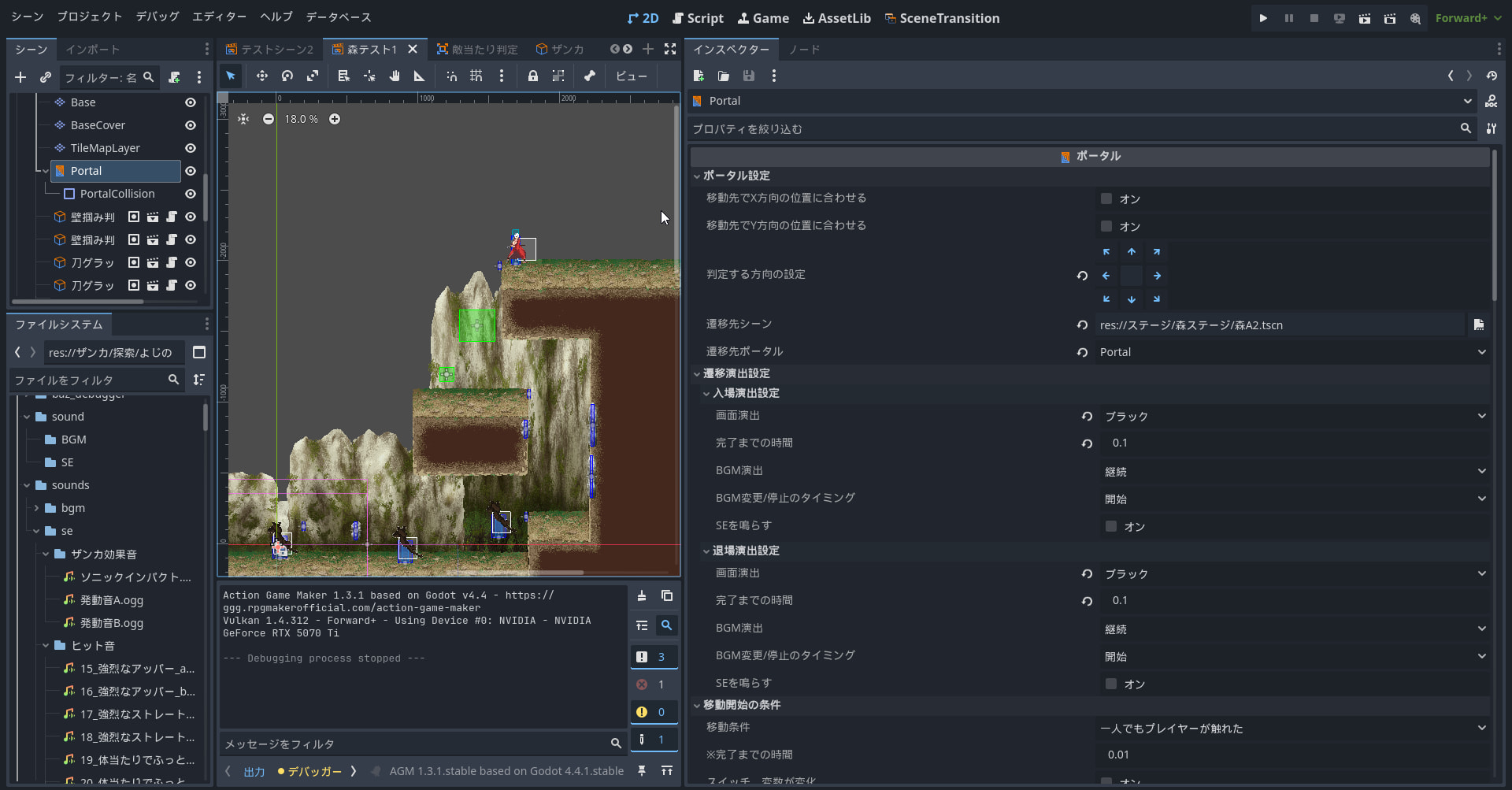
I followed the tutorial here to place a portal in the base layer of the game scene, but it doesn’t start at all. I also referred to the sample project for the settings, but I have no idea why it isn’t moving, and I’m stuck.
I’ve attached screenshots of the Inspector for the player character and the portal. If anyone can help, I’d appreciate your advice.
Please ensure that the check states of the upper layer and lower mask in the “Collision” section of the right inspector panel are aligned.
PIero
July 4, 2026, 2:48am
3
Thank you. I tried matching them, but the result didn’t change
Is the grouping of character objects set to play?
PIero
July 4, 2026, 3:59am
5
Thank you.
The group was originally playing as players, but after toggling the checkbox a few times and restarting, we were able to move to the scene.
However, instead of going to the location of the specified portal, we end up at the center of the scene.
No matter which portal we specify as the destination, we always end up at the center of the scene.
It would be great if there were a way to set the destination of a portal to the specified portal.
The Portal is the spawn point after teleporting.
PortalCollision is the hitbox.
The Portal in your screenshot is at the center of the scene; only the hitbox has been moved.
1 Like
PIero
July 4, 2026, 6:26am
7
I was able to move properly! As you said, it seems only the portal’s collision box was moved.
Thank you so much. It really helped.