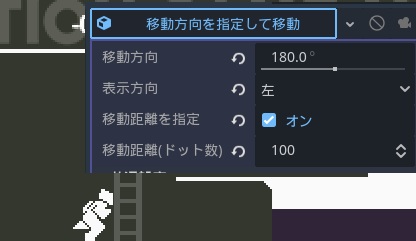
実行アクションの”移動方向を指定して移動”で 表示方向を指定すると想定と逆の向きで表示されます。
例えば、左方向(180度)に100ドット、キャラクターの表示方向を左にして移動させようとした場合、 実行するとキャラクターが左に移動しつつ表示方向は右向きで表示されます。
ご報告ありがとうございます。 現象が確認できましたので開発に報告させていただきます。
こちらおまたせいたしました、先程配信の1.2.6で修正をさせていただきました
ご対応ありがとうございます。
修正されている事を確認いたしました。