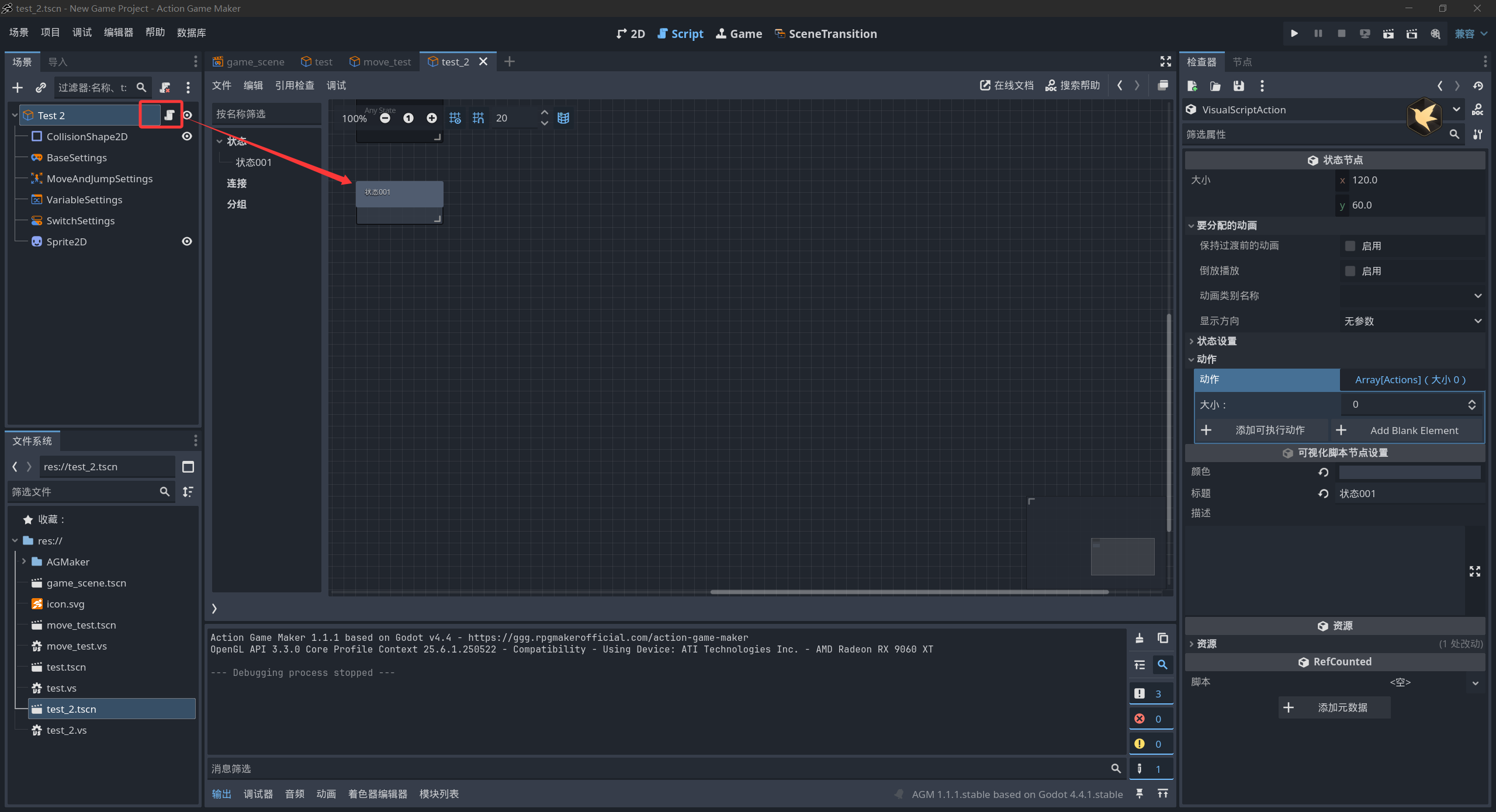
これはバグだと思います。以前は正常に動作していたはずです。「オブジェクトを移動」コマンドを実行すると、距離を何に設定してもオブジェクトが動き続け、決して止まりません。距離を「2」に設定しても動き続けます。距離はピクセル単位で指定するものと理解しています。
設定は以下の通りです。他の移動タイプを試しましたが、同じ現象が発生します。
これはバグだと思います。以前は正常に動作していたはずです。「オブジェクトを移動」コマンドを実行すると、距離を何に設定してもオブジェクトが動き続け、決して止まりません。距離を「2」に設定しても動き続けます。距離はピクセル単位で指定するものと理解しています。
設定は以下の通りです。他の移動タイプを試しましたが、同じ現象が発生します。
操作しましたが、すべて正常でした。
オブジェクトは一定の距離移動した後、自動的に停止し、ご指摘の問題には遭遇しませんでした。
ご自身の手順に誤りがないか確認するため、最小限の再現手順を作成してみてください。
プロジェクトが破損していないか、または奇妙な設定が原因ではないかを確認するために、全く新しいプロジェクトを作成しましたが、新しいプロジェクトでも同じ現象が発生します。私が行っている手順は以下の通りです:
- トップダウンゲームを作成しようとしており、マップの重力はゼロに設定されています。
- トップビューのキャラクターベースからテンプレートを作成しました。
- 2 つ目の空白オブジェクトを作成しました。このオブジェクトには「オブジェクトを移動」ステートという 1 つの状態のみがあります。トップビューのキャラクターベースで作成したオブジェクトを移動させるように指示すると、そのオブジェクトは無限に動き続けます。
- 移動オブジェクトは、移動させたいオブジェクト内にアクションがある限り機能しますが、イベントでこのオブジェクトを移動させたい場合に問題が発生しているようです。テンプレートに問題がないか確認するために、移動させるための空白オブジェクトを作成してみましたが、それも機能しませんでした。
プロジェクトファイルをアップロードしていただけないでしょうか。問題の特定をお手伝いします。
new-game-project.rar (67.7 KB)
私が作成した新しいプロジェクトはこちらです。同じ現象が発生します。移動用のスクリプトと移動させるオブジェクトのみです。
new-game-project(ok).rar (220.4 KB)
問題解決済み:
(1) 解決策:ターゲットオブジェクトに VS スクリプトを追加して、オブジェクトの「ステートマシン」をアクティブ化します。
(2) AGM の可視化の原理:オブジェクトを「可視化」で制御したい場合は、オブジェクトのルートノードに「VS スクリプト」を追加して、AGM オブジェクトの可視化機能を「アクティブ化」する必要があります。
ああ、わかりました。気づいていませんでした。すぐにテストしてみたら、うまくいきました。ありがとうございます!!